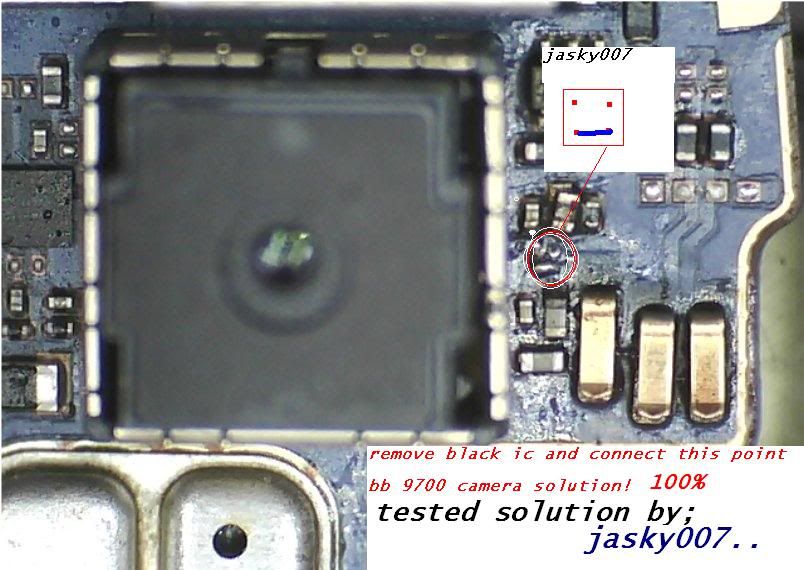
X5 hardware solution





 IVC-GSM SPEED TEST
Maw Test kecepatan internet mu ??..Monggo ..
 IVC-GSM - Kandangan TV Online
Maw nonton TV dalam / luar negeri !!, silahken..
 IVC-GSM Radio Online Player
Dengerin berita / musik2 kesukaanmu tinggal pilih chanel
 Purwodadi Map
Biar gak kesasar muter2 kota Purwodadi
 IVC FORUM
Temen2 bisa saling berbagi, diskusi dan bertular pengalaman...silahkan gabung di sini ..
 IVC-GSM UFC PINOUT
Silahken nyari pinout nokia disini gan .., mudah2an dpt membantu

Phoenix Service Software 2011.02.000.44842 Cracked 31 januari 2011
Main component versions in the release:
• DK2 Driver Version 07.14.0.25
• Nokia Connectivity Cable USB Driver Version 7.1.36.0
• Flash Update Package 10.50.00
• FLS-x Drivers Version 2.09.28
• FUSE Connection Manager v 2010.52
MAIN CHANGES & ERROR CORRECTIONS FROM PREVIOUS VERSION 2010.48.4.44602
New Products added
• RM-732, RM-733, RM-713, RM-707
New features
• New Connectivity Cable deriver
• New version of FUSE connection Manager
• New version of Flash Update Package
• New versions of Product API
• CTRL+R and CTRL+S shortcuts corrected
• All Nokia Service SOftware Applications will use following location for product specific data:
- Windows XP: C:\Documents and Settings\All Users\Application Data\Nokia\Packages
- Windows 7: C:\Program Data\Nokia\Packages
Error Corrections & changes
• FLS-4 Support removed
• Correction to Genius case #173131: Nokia 7020 Auto-tuning failed issue
• Corrections to autotuning / certificate restoring in cases when flash / combo memory was been
replaced and security self tests were failing
• New look & feel implemented to UI
Please note:
• This version contains the latest Tucson components. Therefore it is not necessary to use Tucson
Add-On Installation Packages
• Before you start Phoenix or care Suite installation to Windows 7 the User Account Control (UAC)
should be turned off from Windows Control Panel settings.
• For more information concerning new common data package location refer to separate documentation
in KICS information center
• For more information concerning new options in “Firmware Update” – menu, please refer to document
SR1313 in KICS information center.
Current options in Firmware Update UI:
- Refurbish: Software will be updated with required content files. User data will be deleted. It is
mandatory to have the content files installed on PC, otherwise Refurbishment process will be
terminated. Before refurbishing, ensure that you back up user data with PC Suite.
- Update Software: Updates software. User data will be preserved. Optional Content files are not
required because they are not programmed
- Reset Software: Updates software and resets settings to the factory defaults. Some user data can be
lost.Optional Content files are not required because they are not programmed
- Product Code changes for USB Only – phones (RX-51, RM-596 etc) work only when used with FPS-21
Flash Prommer and USB connection from prommer rear panel to phone. Please select USB as Product
Active Media
- Do not use Flash option simultaneously with product code change for USB Onbly phones, flash phone
separately with Firmware Update
- It is recommeneded to use FPS-21 flash prommer with TCPIP connection when refurbishing USB Only
- phones (RM-596 etc) due to mandatory optional MMC file size.
KNOWN ERRORS & LIMITATIONS
• Software downgrade with Tucson system is only possible for BB 5.0 products supporting the Data
Package 2 concept.
• Flashing with setup FLS-5, SS-46 and product specific adapter is not supported anymore
• If you install old DCT-4 data packages, Flash Update Package File installation path may be wrong. This
is caused by very old DCT-4 data packages which contain Flash Update Package and overwrite current
information during installation. If you experience problems when updating FPS-x prommers, please
check that Phoenix “Prommer maintenance” is looking for the files from the correct location which is
“C:\Program Files\Common Files\Nokia\Tss\Flash”. If not, Phoenix will show error “Update via ini – file
failed”. In this case, select “Update” from that Phoenix “Prommer maintenance” – UI, browse to correct
directory and select “fpsxupd.ini” for all other prommers except the FPS-8.
• Refurbishment flashing and product code change for RX-51 product requires SX-4 card to be available
• FPS-21 flashing for RX-51 works only with TCPIP connection. FPS-21 prommer with new HW version
is needed to correct this, and it is estimated to be available by the end of 2010
• Please refer to product specific documents and instructions concerning the limitations of the RX-51
product
• RX-51 flashing does not work when CU-4 is used
• RX-51 Product Code changes work only without FLASH option, please flash phone separately
• When version 2010_12_8_42304 or newer with FUSE connection manager is installed on top of older
Phoenix versions, there may be an additional delay of several minutes when you start Phoenix for the
first time. Please wait patiently; Phoenix will start after configuration is finished.
• When using Data Package download functions with online connection, download times may
occasionally be long. This is not caused by Phoenix (or Care Suite). The download speed from online
servers is occasionally is known to be slow, depending on how data is buffered on caching servers.
• Note concerning the installation and use with Administrator and User rights
- If you install Phoenix, start Phoenix and configure connections from FUSE connection manager as
Administrator, you may not be able to start Phoenix after you log off and try to use Phoenix with User
Rights afterwards
• If you experience the above mentioned problem:
- Log on as Administrator
- Deleted Fuse folder and its contents from: C:\Documents and Settings\All Users\Application
Data\Nokia\
- After this Fuse’s connection list will be empty and it can be used directly with guest/admin rights.
- This has to be done only once.
• After you close Phoenix, it may not restart. To rectify this:
- Use Windows Task Manager to manually shut down phoenix.exe and FuseService.exe processes, or
optionally restart your PC
• Mass memory content file flashing does not work for all products over USB – FPS-10 or FPS-21 Flash
Prommer must be used!
• To be able to use the help files in Windows 7 you need to install Windows Help program
(WinHlp32.exe) for Windows 7. Ways to locate WinHlp32.exe:
- Start Phoenix with online connection to Internet, select “Help” and “Phoenix help”. Click the
“Microsoft Help and Support” website link. Download WinHlp32 and install it.- Go to
http://www.microsoft.com (http://www.microsoft.com) . Type “WinHlp32″ to “Search Microsoft.com” – field. Locate
Windows Help program (WinHlp32.exe) for Windows 7 and install it
• When using flash prommers, only one connection type to one prommer is allowed. Please use either
NFPD USB or NFPD TCPIP connection to one prommer, not both connections to same prommer
Supported operating systems and user rights
• Windows XP Service Pack 1 or higher
• When installing Phoenix into Win XP you must have local admin rights.
• When using in Win XP, user must have power user rights.
• Windows 7 32 Bit version
DOWNLOAD
PASSWORD: guarforum

 TUKAR LINK
Terima kasih atas kunjungan anda di blog ini, dan untuk menjalin persahabatan kita, silahkan KLIK disini... untuk bertukar LINK di halaman ini


IVC GSM PURWODADI © 2011 | Template By ivansell | Blogger